
pip报错:There was a problem confirming the ssl certificate 临时处理
错误现象

[root@localhost ~]# pip install flask
WARNING: pip is configured with locations that require TLS/SSL, however the ssl module in Python is not available.
WARNING: Retrying (Retry(total=4, connect=None, read=None, redirect=None, status=None)) after connection broken by 'SSLError("Can't connect to HTTPS URL because the SSL module is not available.")': /simple/flask/
WARNING: Retrying (Retry(total=3, connect=None, read=None, redirect=None, status=None)) after connection broken by 'SSLError("Can't connect to HTTPS URL because the SSL module is not available.")': /simple/flask/
WARNING: Retrying (Retry(total=2, connect=None, read=None, redirect=None, status=None)) after connection broken by 'SSLError("Can't connect to HTTPS URL because the SSL module is not available.")': /simple/flask/
WARNING: Retrying (Retry(total=1, connect=None, read=None, redirect=None, status=None)) after connection broken by 'SSLError("Can't connect to HTTPS URL because the SSL module is not available.")': /simple/flask/
WARNING: Retrying (Retry(total=0, connect=None, read=None, redirect=None, status=None)) after connection broken by 'SSLError("Can't connect to HTTPS URL because the SSL module is not available.")': /simple/flask/
Could not fetch URL https://pypi.org/simple/flask/: There was a problem confirming the ssl certificate: HTTPSConnectionPool(host='pypi.org', port=443): Max retries exceeded with url: /simple/flask/ (Caused by SSLError("Can't connect to HTTPS URL because the SSL module is not available.")) - skipping
ERROR: Could not find a version that satisfies the requirement flask (from versions: none)
ERROR: No matching distribution found for flask
WARNING: pip is configured with locations that require TLS/SSL, however the ssl module in Python is not available.
Could not fetch URL https://pypi.org/simple/pip/: There was a problem confirming the ssl certificate: HTTPSConnectionPool(host='pypi.org', port=443): Max retries exceeded with url: /simple/pip/ (Caused by SSLError("Can't connect to HTTPS URL because the SSL module is not available.")) - skipping
WARNING: There was an error checking the latest version of pip.
直接原因
访问了https的pip源
应急处理
在用户文件夹中创建.pip文件夹
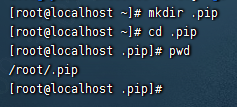
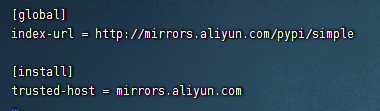
建立一个pip.conf (windows就建pip.ini),填写以下内容
[global]
index-url = http://mirrors.aliyun.com/pypi/simple

[install]
trusted-host = mirrors.aliyun.com
保存后重试pip
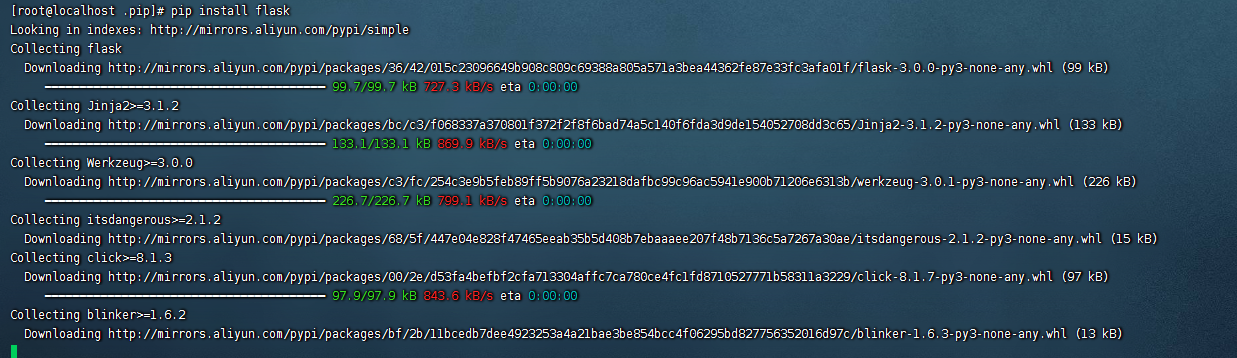
正常下载安装
原理
使用http的pip源,避免pip去校验SSL